Supported currencies
Use different currencies to provide a localized billing experience for your global customers. Metering on local currency eliminates confusion around conversion rates and provides a customer-centric billing approach for international customers. Metronome supports these currencies:Currency denomination
All monetary values in the Metronome API are expressed in the smallest denomination (minor unit) of the currency. For USD, this means values are in cents — so $1.00 is represented as100. This applies to all API fields that represent monetary amounts, including total, unit_price, amount, and threshold.
The denomination for each currency is reflected in the pricing unit name returned by the API. For example, USD returns as "USD (cents)", indicating values are in cents. Other currencies return their standard code (for example, "EUR") without a denomination qualifier, indicating values are in whole units.
Use custom pricing units
To use custom pricing units:- Create a custom pricing unit in the Metronome app.
- Create a rate card and set the rate card’s fiat currency. Each rate card is associated with one fiat currency.
NOTEOnce the rate is saved in one pricing unit for a given product, you cannot
change the pricing unit for that rate afterwards.
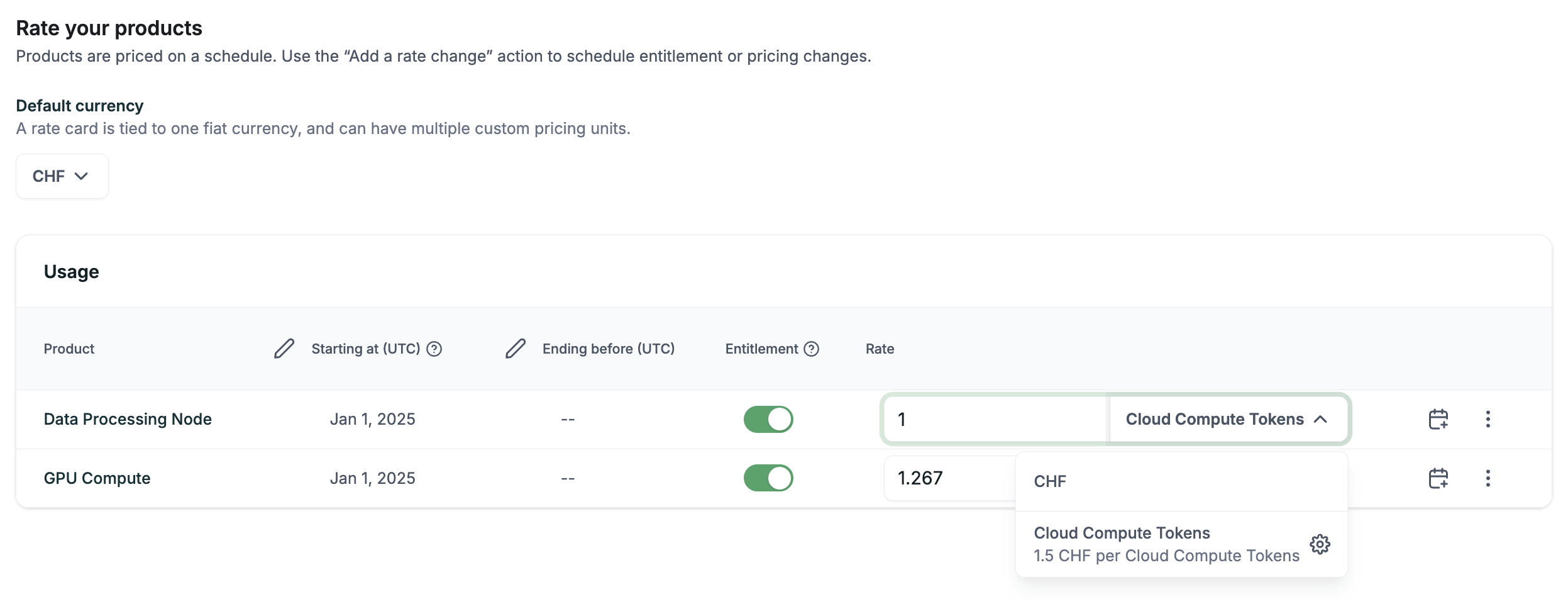
- Click Save.
Example: Use custom pricing units and currencies in commits or credits
Credits and prepaid commits, on a contract or at the customer level, can have access schedules in custom pricing units and select currencies. For example, you can have a prepaid commit, paid for in CHF, that gives access to 100 Cloud Compute Tokens.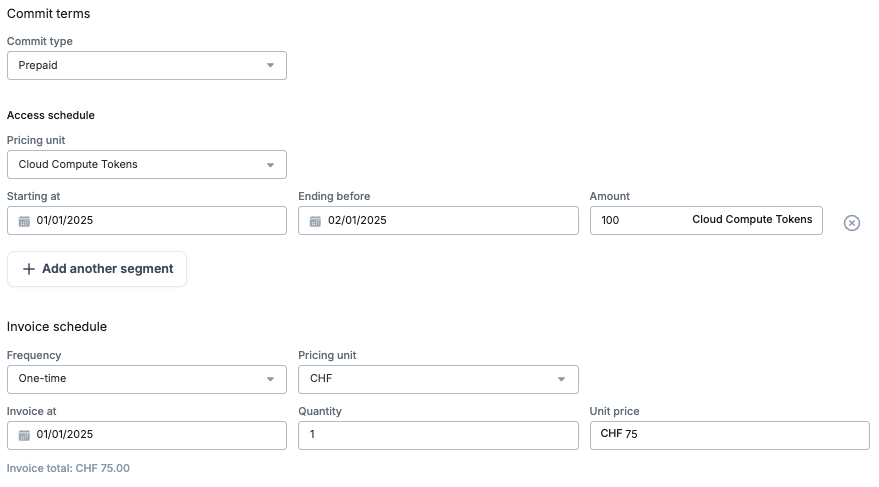
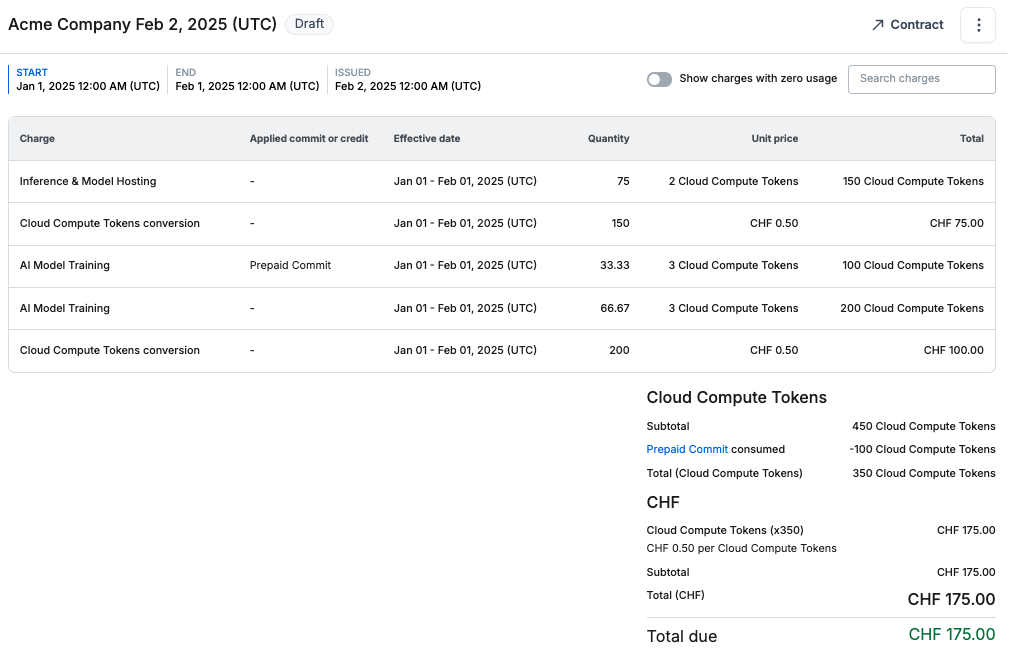
Example: Invoice with custom pricing units and currencies
Usage of a product with custom pricing unit rates burns down credits and prepaid commits with access schedules in that custom pricing unit. For example, 100 Cloud Compute Tokens was burned down by the AI Model Training usage. If there are no applicable credits or prepaid commits with access schedules in that custom pricing unit, a conversion line item is added to calculate the cost in the specified fiat currency set on the rate card. For Acme’s invoice, after burning down all prepaid commits, the remaining total of 350 Cloud Compute tokens is converted to the fiat currency and is the total due.